
FLEX is FL Studio’s built-in synthesizer, featuring a resizable interface and efficient navigation tailored for rapid workflow integration. Users access an extensive library of professional presets and manipulate sounds with macros, filters, envelopes, and onboard effects like delay, reverb, and limiter. FLEX supports intuitive sound exploration and customization, with advanced modulation and layering options for detailed sound design. Further sections will explain techniques to maximize FLEX’s capabilities and seamlessly enhance production within FL Studio.
Key Takeaways
- FLEX is a versatile stock instrument in FL Studio, offering a wide range of professionally designed presets for immediate music creation.
- The user-friendly interface features resizable panels, visual feedback, and quick access to macros, filters, and effects.
- Presets are organized by categories and tags, with favoriting and regular updates to expand your sound library.
- Macros and parameter controls allow fast sound customization, including pitch, filter, and envelope adjustments for creative flexibility.
- Built-in effects like delay, reverb, and limiter enhance sounds directly within FLEX, streamlining your production workflow.

FLEX, included as a stock plugin in FL Studio 20.2 and above (excluding the demo version), can be quickly accessed within the Channel Rack by selecting it from the instrument list via the plus button.
Upon instantiation, FLEX’s interface presents an intuitive layout emphasizing visual feedback for efficient workflow navigation. The graphical user interface is fully resizable and repositionable, accommodating diverse workspace preferences.
Users can customize the aesthetic through theme selection, accessible via the FLEX logo and associated theme options, optimizing visual ergonomics during extended sessions.
Essential controls and preset browsing are logically arranged, enabling immediate sound exploration. FLEX’s interface design prioritizes clarity, with clearly labeled sections and responsive visual indicators, streamlining sound selection and manipulation without demanding advanced synthesis knowledge from the user.
Exploring and Managing Presets
After becoming familiar with the interface layout and navigation, attention naturally shifts to the robust preset management system integral to FLEX’s workflow.
FLEX, as a free plugin within FL Studio, provides immediate access to an extensive library of professionally crafted presets covering a wide spectrum—ranging from basses to pads and strings. The user can efficiently browse these sounds by installed packs or by applying tags, streamlining the selection process within complex projects.
Favoriting functionality enables swift recall of preferred presets, optimizing workflow efficiency. The scalable and repositionable interface guarantees seamless integration into any workspace setup.
Particularly, FLEX offers both free and forthcoming paid preset banks, which promises continual expansion of sound palettes. This makes FLEX a versatile sound design tool, adaptable to evolving production requirements.
Customizing Sounds With Macros and Parameters
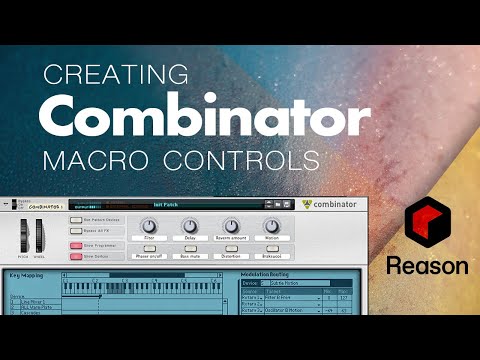
While FLEX’s preset library offers instant access to high-quality sounds, advanced customization is achieved through its integrated macros and adjustable parameters.
Customizing sounds with macros and parameters streamlines the workflow by allowing simultaneous manipulation of multiple sonic characteristics. Macros in FLEX are mapped to critical sound-shaping controls, enabling users to affect timbre, dynamics, or modulation with a single movement for a noticeable effect.
Pitch can be precisely adjusted using dedicated plus and minus buttons, supporting fine-tuning for harmonically accurate results. Users can further tailor their sound by adjusting filter cutoff and resonance, which impacts the brightness and tonal color.
Automation clips can be assigned to these parameters, allowing dynamic, time-based changes. This system empowers efficient, intuitive sound design without overwhelming complexity.
Utilizing Filters, Envelopes, and Modulation
Harnessing the power of filters, envelopes, and modulation reveals advanced sound-shaping capabilities within FLEX, allowing producers to sculpt timbre, dynamics, and movement with precision.
Filters in FLEX enable users to manipulate cutoff frequency and resonance, offering types such as low-pass and high-pass for real-time tonal shaping.
Volume envelopes provide control over attack, hold, decay, sustain, and release, facilitating intricate dynamic articulation.
Filter envelopes automate tonal changes, introducing evolving movement within a patch.
Modulation is achieved via automation clips, empowering users to link and control diverse parameters for expressive, evolving textures.
- Adjust filter cutoff and resonance for dynamic brightness control.
- Shape amplitude with volume envelope parameters for tailored dynamics.
- Apply filter envelope settings for automated tonal evolution.
- Utilize automation clips for real-time modulation and expressive performance.
Applying Built-In Effects: Delay, Reverb, and Limiter

FLEX provides integrated delay and reverb effects, enabling detailed manipulation of spatial characteristics within a sound. Delay parameters such as mix, feedback, and stereo mode allow for rhythmic complexity and movement, while reverb controls simulate acoustic environments by adjusting size, decay, and mix. These tools facilitate workflow efficiency when shaping sound presence and enhancing perceived depth directly within the FLEX interface. For optimal results, consider using pre-delay settings to enhance clarity and separation between elements, preventing the reverb from muddying the original sound.
Shaping Sound With Delay
A range of built-in effects in FL Studio’s FLEX enables precise control over sound shaping, with delay, reverb, and limiter modules accessible directly within the instrument interface.
The delay effect in FLEX is engineered for intricate rhythmic pattern creation and complex sound textures. Its parameter set supports flexible workflow approaches:
- Mix control: Adjusts the balance between the processed (wet) and original (dry) signal, essential for blending delay with the source.
- Decay time: Determines the length of each delay repeat, shaping the tail and rhythmic impression.
- Feedback: Controls the number of repetitions, where higher feedback yields denser echo patterns.
- Spatial modes: Offers options like fake stereo, true stereo, and ping-pong, granting sound designers diverse spatial imaging tools within FLEX’s delay module.
Enhancing Depth With Reverb
While delay modules in FLEX introduce rhythmic complexity and spatial movement, reverb parameters are dedicated to creating convincing acoustic environments and depth.
FLEX’s built-in reverb offers granular control over the mix level, directly influencing the overall reverb presence in a patch. Adjusting the decay time determines how long the sound lingers, which is essential for simulating both intimate rooms and expansive halls where reflections persist for a long time.
Manipulating the size parameter alters the perceived dimensions of the virtual space, while the color control brightens or darkens the tonal character of the reverb tail.
Sound designers can use these parameters to reinforce musical context: subtle, short reverb for clarity, or extended, lush reverbs for cinematic depth, all within FLEX’s integrated workflow.
Optimizing Output and Workflow Integration
Enhancing output quality and streamlining workflow in FL Studio’s FLEX involves precise control of sound dynamics and integration into the project mix.
Optimizing output requires both technical adjustments and strategic workflow decisions, ensuring that FLEX instruments deliver clean, balanced sounds in any production context.
Consider the following optimization steps:
- Limiter Usage: Apply FLEX’s built-in limiter to prevent clipping and maintain clean audio, selecting limiter profiles tailored for specific timbres, such as 808s or leads.
- Output Level Adjustment: Set FLEX’s output level to integrate seamlessly with FL Studio’s mixer, preserving headroom and overall mix clarity.
- Dynamic Automation: Employ automation clips on FLEX parameters for expressive, real-time sound modulation during arrangement.
- Envelope and Effect Refinement: Shape sound characteristics with volume envelopes and employ internal effects—filters, delay, reverb—to achieve a polished, cohesive mix.
Additionally, balancing vocals with instruments requires strategic EQ and compression techniques to ensure that each component coexists harmoniously in the mix.
Frequently Asked Questions
Is FL Studio a Good DAW for Beginners?
FL Studio is considered beginner friendly due to its intuitive workflow, including a user-centric step sequencer and piano roll. Its streamlined interface, accessible sound design tools, and extensive community support make it an ideal DAW for newcomers.
What Is FLex in FL Studio?
FLEX in FL Studio is a synthesizer plugin offering streamlined workflow and diverse sound design capabilities. Key FLEX features include intuitive preset browsing, macro controls, versatile filters, and integrated effects, enabling efficient, professional-quality music production without advanced synthesis knowledge.
Does FL Studio Have Built in Instruments?
FL Studio features significant instrument variety, including synthesizers and sample-based plugins integral to its workflow. These built-in instruments, such as Sytrus, FLEX, and 3xOSC, enable diverse sound design capabilities for efficient music production within the digital audio workstation.
Can I Learn FL Studio on My Own?
Self directed learning in FL Studio is highly feasible due to its intuitive workflow, user-centric interface, and thorough documentation. Novices can explore sound design, automation, and sequencing independently, utilizing extensive presets, tutorials, and community-driven support resources.
Conclusion
FLEX in FL Studio streamlines sound design with an intuitive interface, robust preset management, and versatile macro controls. By utilizing filters, envelopes, and modulation options, users can sculpt dynamic timbres efficiently. Integrated effects, including delay, reverb, and limiter, further enhance sonic possibilities. With workflow-oriented features and seamless DAW integration, FLEX empowers producers to optimize their creative output, making it a powerful tool for both rapid inspiration and detailed sound customization within FL Studio environments.